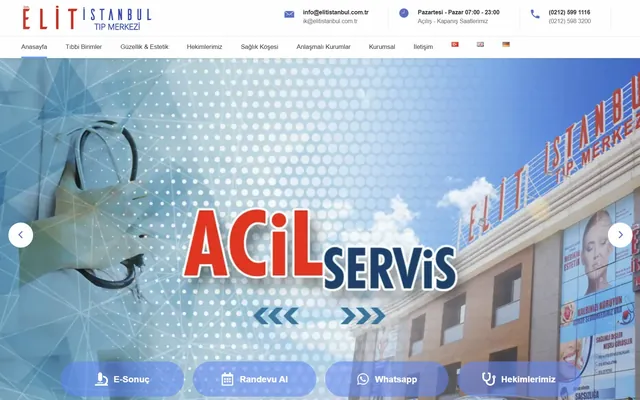
 Multilingual · Healthcare
Elit Istanbul Medical Center
Multilingual medical center website with an appointment system, physician profiles and medical-unit integrations.
$ visit_site →WordPress technical support is an intervention service that finds the root cause of errors on your site and fixes them so they do not come back. White screen of death, plugin conflicts, 500 server errors, emails not being delivered and database connection failures are all in scope. For urgent cases we respond within 4 hours, and every intervention closes with a written root-cause report.
WordPress technical support is for businesses whose site is down or unstable and who cannot locate the cause themselves. The fault usually comes from a single plugin update or a server setting, while the symptom shows up somewhere completely different, which is why first attempts fail. If any of the following sounds familiar, you are on the right page.
We use the same method on a one-page brochure site and on a 40-plugin online store; only the diagnosis time changes.
Technical support can be bought as a one-off intervention or as part of a monthly maintenance plan. The table below lists what a one-off intervention includes and what is planned separately. We write the exclusions up front so there are no surprises at the quote stage and so it is clear which job belongs to which service.
| Work | One-off | Monthly maintenance |
|---|---|---|
| Error diagnosis and server log review | Included | Included |
| White screen and admin access problems | Included | Included |
| Plugin and theme conflict resolution | Included | Included |
| 500 / 502 / 504 server errors | Included | Included |
| Email delivery (SMTP) setup | Included | Included |
| Database connection and table repair | Included | Included |
| Root-cause report | Included | Included |
| Scheduled updates and monitoring | Excluded | Included |
| Hacked site cleanup | Priced separately | Priced separately |
| Custom plugin or theme development | Excluded | Excluded |
Hacked site recovery is a different process; the symptoms look similar but the method is not. For that we point you to WordPress security and recovery.
The process has four steps, each with a known duration. Urgent cases get a first response within 4 hours; a typical diagnosis and fix is completed the same business day. If the problem spans several layers it can stretch to 2 business days, which we tell you in writing after the first review; every delivery carries a 7-day recurrence guarantee.
We listen to the symptom and read the server and error logs
We isolate plugins one by one or trace the log to find the source
We apply the patch and verify it on staging where needed
We test the site end to end and write up the root cause
Three variables set the price: how many layers the problem touches, how plugin-heavy the site is, and whether the intervention is urgent. A white screen caused by a single plugin and a fault spread across server, theme and database do not take the same time, so instead of a fixed list we quote after a pre-check. The pre-check is free and the quote is fixed once it is done.
The price does not rise during the intervention. If we cannot fix it, we do not charge. For customers on the monthly maintenance plan, technical support is included and never billed separately.
The three cases below represent different symptoms and different causes. We do not share client names without permission, so sector and scale are given instead. In all three the symptom and the source were in different places, which is why they had not been solved at first attempt and reached Zep Bilisim only after several tries.
Removing the symptom and removing the cause are different jobs. Clearing the cache brings the site back from a white screen; the next update brings the white screen back.
The work is carried out by Caner Zep Çelik, founder of Zep Bilisim. As founder and technical consultant he has worked on WordPress infrastructure, server configuration and incident response since 2020 and has been involved in more than 120 projects. He reads the server and error logs himself and does not outsource the diagnosis.
Every intervention closes with a root-cause report: what was found, why it happened and what was done to stop it recurring. The document stays with you even if you later work with another team.
Not every error calls for paid intervention and we do not sell unnecessary work. A display glitch that clears with a cache purge, a conflict that disappears when one plugin is disabled, or an outage on the hosting provider's side do not justify a paid callout; we say so in the pre-check and describe the step you can take yourself.
If the problem keeps recurring, a maintenance plan is cheaper than repeated one-off callouts; in that case we point you to WordPress maintenance and updates.
For scheduled care see WordPress maintenance and updates, and for speed problems see speed and performance optimization. If a backup is needed to roll back after a failure, backup and restore explains the process. WordPress's official debugging guide walks through the first checks you can run yourself.
A selection of the WordPress sites in our references. You can browse all of them on our references page.
Multilingual · Healthcare
Multilingual medical center website with an appointment system, physician profiles and medical-unit integrations.
$ visit_site →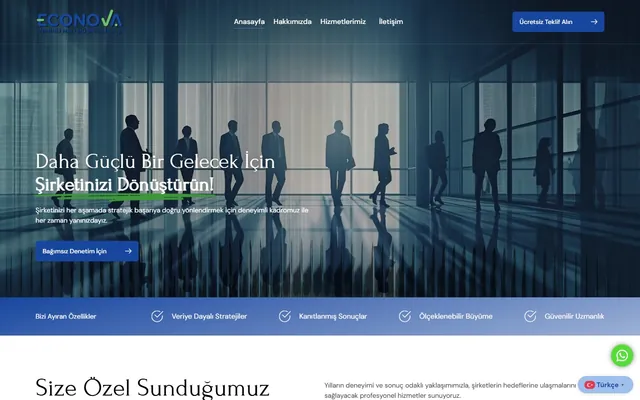 Corporate · Finance
Professional corporate web design for a sworn-in financial consultancy firm.
$ visit_site →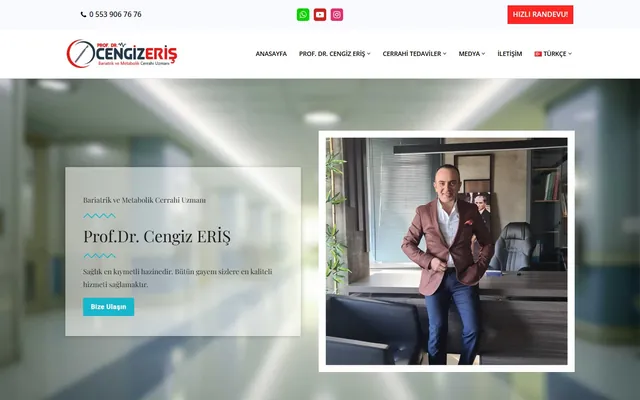 Multilingual · Healthcare
Multilingual personal doctor website for a bariatric and metabolic surgery specialist.
$ visit_site →Urgent cases get a first response within 4 hours; if the site is completely down it goes to the top of the queue. A typical white screen or admin access issue is resolved within the first 2 hours. Out-of-hours work is included in the monthly maintenance plan and available at an extra charge on one-off jobs, stated up front.
Two methods: reading the plugin named directly in the error log, or isolating plugins one by one to see where the symptom disappears. This is done on a copy of the site, not on the live one, so visitors are unaffected. The result goes into the report with the plugin name and version, and the permanent fix is proposed in the same report.
We need hosting panel access and a WordPress administrator account. If you prefer not to share passwords, you can create a separate limited user for us and delete it when the job is done. Where we cannot reach the server logs, diagnosis takes longer; we say so up front and agree an alternative route with you, and access is removed once the work ends.
The goal is a permanent fix and we back it with a 7-day recurrence guarantee. Where the cause cannot be closed immediately, we first bring the site back up and plan the permanent correction as a separate step; both steps are written in the report separately with the timing of the second one.
We do not charge. If the pre-check shows it cannot be solved, we tell you at the start and, where useful, prepare a technical summary you can pass to your host or theme developer. Every unsolved case to date came down to an access restriction on the server side; all of them were closed by the provider's intervention and the client paid nothing.
We hear that often. The host sees that the server is up, but a memory limit, PHP version or missing extension still affects WordPress. During diagnosis we show with log evidence which side is responsible; we can also handle the correspondence with the host on your behalf and translate the technical language for you.
WordPress maintenance plan: updates tested on staging first, weekly off-site backups, security monitoring and a monthly health…
View Details → WordPressWordPress speed optimization: caching, image compression, code minification and Core Web Vitals improvement.
View Details → WordPressWordPress backup service: encrypted off-site backups, 30-day version history, monthly restore test and emergency restore.
View Details →Written by: Caner Zep Çelik, Founder & Technical Consultant · Last updated: