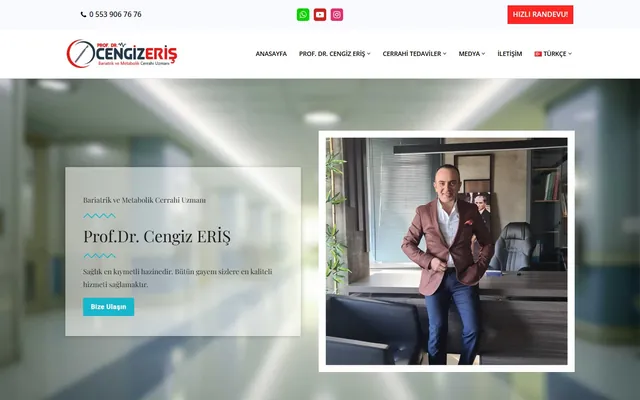
 Multilingual · Healthcare
Prof.Dr. Cengiz Eriş
Multilingual personal doctor website for a bariatric and metabolic surgery specialist.
$ visit_site →WordPress backup is a service that copies your files and database off the server at regular intervals in encrypted form, restores those copies regularly to prove they work, and returns the site to its last healthy version when needed. Daily database backups, weekly full backups and a 30-day version history are standard. A backup only counts as a backup once it has been shown to restore.
WordPress backup is for businesses that have no copy to return to when the site breaks or gets hacked. The backup taken by the hosting provider usually sits on the same disk, its age is unknown and restoring it takes hours; because nobody has ever tried it, nobody knows whether it works. If any of the following sounds familiar, you are on the right page.
We use a weekly interval on brochure sites and a daily one on WooCommerce and membership sites; hourly database backups can also be set up for order data.
Backup runs as a monthly plan; a one-off setup and handover is also possible. The table below lists what each option includes and what stays outside, line by line. The storage space is opened in your name, so even if you leave the service the backups remain yours and your access is never cut; we write that rule up front.
| Work | One-off setup | Monthly plan |
|---|---|---|
| Backup system installation and configuration | Included | Included |
| Off-site encrypted storage connection | Included | Included |
| First full backup and restore test | Included | Included |
| Daily database and weekly full backup | Included | Included |
| 30-day version history | Included | Included |
| Monthly restore test and report | Excluded | Included |
| Alert and intervention on failed backups | Excluded | Included |
| Emergency restore when the site breaks | Priced separately | Included |
| Hacked site cleanup | Priced separately | Priced separately |
| Storage subscription fee | Excluded | Excluded |
Stores that want hourly database backups need more storage; the estimated fee is shown in the quote.
Setup takes 1 business day; on the monthly plan the regular cycle runs from then on. Every step has a defined output and the first restore test is done before setup is finished; if the test fails, setup is not considered complete. An emergency restore takes 30 minutes to 2 hours on a typical site, and the time is re-measured in every monthly test.
Site size, database size and rate of change are measured and the interval is set
The backup system and off-site storage are connected and encryption is enabled
A full backup is taken, restored at a separate address and verified as a working site
Backups run automatically; a failure raises an alert the same day
A random backup is restored and the result is written in the report
Three variables set the price: site size, backup interval and number of sites. A 500 MB brochure site backed up weekly and a 20 GB store wanting hourly database backups do not carry the same storage and processing load, so we quote from the inventory rather than a fixed list. Checking your current backup is free and the quote is fixed once it is done.
There is no contract on the monthly plan. For customers on the maintenance plan, backup is included and not billed separately. The storage fee is paid to the provider and its estimated amount is shown in the quote.
The three cases below show when and how a backup system earns its keep. We do not share client names without permission, so sector and scale are given instead; times come from Zep Bilisim monthly reports. In all three the loss was prevented not by the backup's existence but by its being restorable, and the recovery time was measured in minutes.
What matters is not that a backup exists but that it restores. We try it once a month and write the result down.
The work is carried out by Caner Zep Çelik, founder of Zep Bilisim. As founder and technical consultant he has worked on WordPress infrastructure, server configuration and data security since 2020 and has been involved in more than 120 projects. He runs the restore tests himself and does not outsource the work.
The monthly report is written by the same person: how many backups were taken, which one was tested and how many minutes the restore took. The report stays with you as a record of the site's recoverability and can be used in audits.
If your host provides off-site, daily, one-click-restorable backups and you have actually tried them, a separate backup system may be unnecessary. In the free check we try restoring your existing backup and tell you the result; if it works we do not sell the service, we only recommend a monthly test habit and noting the outcome.
If the site already has an active attack, cleanup comes first; a backup of an infected site preserves the malicious code too. In that case we start from WordPress security and recovery.
For the regular care that backup belongs to see WordPress maintenance and updates, and for the role of backups when changing servers see site migration. Returning to a clean backup after a hack is described under security and recovery. WordPress's official backup guide explains what needs backing up and which files are critical.
A selection of the WordPress sites in our references. You can browse all of them on our references page.
Multilingual · Healthcare
Multilingual personal doctor website for a bariatric and metabolic surgery specialist.
$ visit_site → Multilingual · Healthcare
Multilingual corporate website with appointment forms for an oral and dental health clinic.
$ visit_site →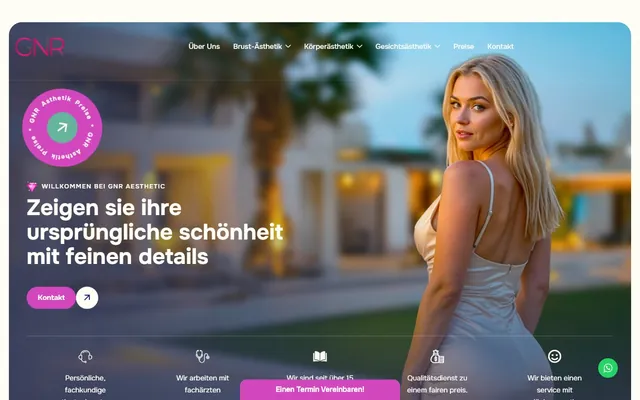 German · Esthetics
German-language corporate website development for a Germany-based esthetic clinic.
$ visit_site →Off the server, in cloud storage opened in your name, encrypted. An attacker who reaches the server could also delete a backup on the same disk, so off-site storage is essential. Because the storage account belongs to you, the backups stay within your reach even if you leave the service, and the encryption key is handed to you.
About 30 minutes on a typical brochure site and up to 2 hours on a large store. Emergency restore is included in the monthly plan and is done the same day a request comes in. The restore time is measured in every monthly test and written in the report, so you know in advance how long you will wait in an emergency.
A plugin takes backups, but it can fail silently when server memory runs out and nobody notices. The system we set up raises an alert the same day a backup fails, and one backup is actually restored every month. The difference is not in the plugin but in the monitoring and testing discipline; the plugin is only the tool.
The standard is a 30-day version history; because a hack can go unnoticed for days, you need to be able to return to a clean version. Sites with legal retention requirements can extend to 90 days or a monthly archive; the storage fee changes accordingly and is shown in the quote. Old backups are deleted automatically without manual work.
With hourly database backups at most one hour of order data is at risk. During a restore, the orders placed between the last backup and the failure are extracted separately from the database diff and merged back; we do that step as part of the emergency restore and hand you the list of merged orders.
The backup system stays installed on the site and keeps running; the storage account is already yours. Only the monitoring, alerts and monthly tests stop. On leaving we hand over the last restore test report and a short document explaining how to use the system; returning later is possible.
WordPress maintenance plan: updates tested on staging first, weekly off-site backups, security monitoring and a monthly health…
View Details → WordPressMoving a WordPress site across servers, domains or hosts without downtime — preserving data integrity, redirects and SEO.
View Details → WordPressSecurity hardening, malware cleanup, hacked site recovery, Google blacklist removal and permanent protection setup.
View Details →Written by: Caner Zep Çelik, Founder & Technical Consultant · Last updated: