 Multilingual · Healthcare
Dentaliva
Multilingual corporate website with appointment forms for an oral and dental health clinic.
$ visit_site →WordPress maintenance is a monthly support plan that applies core, theme and plugin updates in a controlled way and keeps the site backed up and monitored. Every update is tried on a staging copy first and a backup is taken before it goes live. A monthly health report, broken-link scan and database optimization are included; there is no contract.
WordPress maintenance is for businesses whose site carries real work but who keep postponing updates, or who fear the site breaking after one. Postponing leaves security holes open; applying blindly breaks the site. The controlled middle path needs a discipline of staging, backups and a regular schedule. If any of the following sounds familiar, you are on the right page.
We apply the same discipline to corporate brochure sites, content-heavy blogs and WooCommerce stores; on e-commerce the testing step simply takes longer.
Maintenance runs monthly and comes in three tiers; the tiers differ only in response time and the monthly change-hours quota, the technical content is identical. The table below lists what the standard plan includes and what stays outside, line by line, so there are no surprises at the quote stage.
| Work | Standard plan |
|---|---|
| Core, theme and plugin updates | Included |
| Every update tried on staging first | Included |
| Automatic backup before each update | Included |
| Weekly backup and monthly restore test | Included |
| Basic security monitoring and login protection | Included |
| Broken-link and 404 scan | Included |
| Database cleanup and monthly health report | Included |
| Small content changes (2 hours per month) | Included |
| Hacked site cleanup | Priced separately |
| Custom theme and plugin development | Excluded |
| Hosting and domain fees | Excluded |
If the change quota is exceeded, extra hours are quoted separately; unused hours do not roll over, but we warn you before the quota runs out.
The maintenance cycle is monthly and the steps of each month are fixed in advance. Setup starts within the first week of the agreement; the first month goes on inventory and clearing the backlog of updates, after which the routine takes over. If a security patch is published we apply it within 24 hours without waiting for the monthly round, and we let you know.
Plugin, theme and version list is drawn up and unused items are identified
An exact copy of the site is prepared at a separate address
Updates are tried on the copy first, then pushed live
Backups run, uptime and login attempts are watched
Updates applied, scan results and recommendations delivered in writing
Three variables set the price: number of sites, plugin density and whether e-commerce is involved. A brochure site with 5 plugins and a store with 40 do not create the same monthly workload, so we quote after a pre-check rather than from a fixed list. The pre-check is free and the monthly fee is fixed once it is done; it does not rise afterwards.
There is no contract; you can stop with one month's notice. Clearing the update backlog in the first month costs nothing extra. Customers on the plan get one-off technical support included rather than billed separately.
The three cases below show what regular maintenance prevents. We do not share client names without permission, so sector and scale are given instead; figures come from Zep Bilisim monthly reports. In all three, the problem had occurred before maintenance began and did not recur once it was in place, which the reports document.
An untested backup is not a backup, and an untried update is not an update. We test both every month.
Maintenance is carried out by Caner Zep Çelik, founder of Zep Bilisim. As founder and technical consultant he has worked on WordPress infrastructure, server configuration and security since 2020 and has been involved in more than 120 projects. He makes the update decisions himself based on staging results and does not outsource the work.
The monthly report is written by the same person: which plugin moved to which version, what the scans found and what is recommended for next month. The report stays with you as a history of the site even if you later work with another team.
For a brochure site with one theme and two or three plugins that is touched a few times a year, monthly maintenance may be unnecessary; a one-off check every three months is cheaper. We say so plainly in the pre-check and do not sell a plan you do not need; the right frequency is decided together from the inventory.
If the site already has an active security problem, that has to be cleaned first; maintenance is for protecting a clean site. In that case we start from WordPress security and recovery.
For the backup discipline that is part of maintenance see backup and restore, and for the performance side see speed and performance optimization. A one-off callout for a sudden fault is described under technical support and troubleshooting. WordPress's official updating guide explains the steps of a core update and what to watch for.
A selection of the WordPress sites in our references. You can browse all of them on our references page.
Multilingual · Healthcare
Multilingual corporate website with appointment forms for an oral and dental health clinic.
$ visit_site →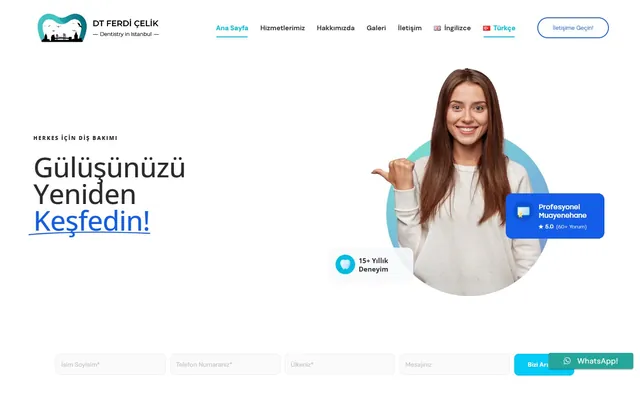 Multilingual · Healthcare
Modern multilingual personal website design and development for a dentist.
$ visit_site → Beauty · Booking
Modern website design and development with an appointment system for a beauty center.
$ visit_site →The breakage shows up on staging and the update is never pushed live; we wait for a compatible release and note it in the report. In the rare case staging misses something, we roll back to the pre-update backup within minutes. Across two years of maintained sites there has been no live outage caused by an update.
The standard plan includes a 2-hour monthly quota for small changes: text corrections, image swaps, menu additions and new pages count against it. New page design or custom development is outside the quota and quoted separately. Unused hours do not roll over; we tell you before the quota is used up.
No contract. You can stop at any time with one month's notice; we charge no exit fee and no remaining months. On cancellation the staging site is shut down, all backups and the final monthly report are handed to you, and our server and admin access is removed the same day. If you come back later, the inventory is simply redone.
Weekly backups are stored off-server, encrypted, with a 30-day version history. An attacker who reaches the server can reach a backup on the same disk, so off-site storage is mandatory. Every month one backup is restored as a test, the time it takes is measured and the result goes in the monthly report.
Yes. Migration is a separate job described on the site migration page; after the move, maintenance carries on from where it left off on the new server. Staging is rebuilt for the new host and the first update round runs there; that rebuild is included in the maintenance fee at no extra charge.
Sites belonging to the same business can be grouped in one plan; the fee is based on the number of sites and falls in steps from the second site onwards. Each site gets its own staging copy and its own monthly report, and all of them are monitored from a single panel. If one of them is an e-commerce site, its testing step is planned separately.
WordPress backup service: encrypted off-site backups, 30-day version history, monthly restore test and emergency restore.
View Details → WordPressWordPress speed optimization: caching, image compression, code minification and Core Web Vitals improvement.
View Details → WordPressWordPress technical support: white screen, plugin conflicts, 500 errors and email delivery fixed at the root cause.
View Details →Written by: Caner Zep Çelik, Founder & Technical Consultant · Last updated: