 German · Esthetics
GNR Ästhetik
German-language corporate website development for a Germany-based esthetic clinic.
$ visit_site →WordPress migration is the service of moving your site, with its files, database, email and DNS settings, to a new server or a new domain without downtime. The move is tested on the new server first and the old server is not switched off until the migration is verified. To protect search rankings, every address is mapped one to one and the redirects go live at the same moment as the move.
WordPress migration is for businesses unhappy with their hosting provider, changing their domain name, or consolidating several sites on one server. Technically a migration is a copy; the risk comes from downtime, lost email and broken links, and all of those risks can be planned away in advance. If any of the following sounds familiar, you are on the right page.
We follow the same process for brochure sites, blogs and WooCommerce stores; on stores the cut-over moment is planned around order data.
Migration is a one-off project. The table below lists what a standard migration includes and what is planned separately, line by line. If a theme change is requested at the same time, we schedule it as a separate step afterwards; two changes at once make it hard to locate the cause when something breaks, and we say so from the start.
| Work | Standard migration |
|---|---|
| Pre-check, migration plan and server selection advice | Included |
| Full backup (files + database) | Included |
| Installation, configuration and testing on the new server | Included |
| Address mapping and 301 redirects on domain changes | Included |
| SSL certificate setup | Included |
| DNS switch with email records preserved | Included |
| Search Console change-of-address notification | Included |
| 7-day post-migration monitoring | Included |
| Migrating the contents of mailboxes | Priced separately |
| Server, domain and SSL subscription fees | Excluded |
| Design or content changes during the migration | Excluded |
On a domain change the old address stays redirected for at least 12 months.
The process has five steps and takes 2 to 3 business days for a typical site; DNS propagation can add up to 24 hours on top. The switch is scheduled for a low-traffic hour and the old server stays on until the 7-day monitoring ends, so an unexpected problem is rolled back within minutes.
Site size, plugins, email records and DNS structure are documented and the plan is written
A full backup is taken and installed on the new server
The site is tried end to end on the new server via a temporary address: forms, checkout, images, admin panel
DNS is pointed at the new server; SSL and redirects go live at the same time
404 logs, email delivery and Search Console crawling are watched, then the old server is switched off
Three variables set the price: site size, whether the domain changes, and whether email is migrated. A 1 GB site changing servers and a site changing domain with 5,000 pages to remap do not carry the same workload, so we quote after a pre-check rather than from a fixed list. The pre-check is free and the quote is fixed once it is done.
If the migration fails, we return to the old server and do not charge. We give independent advice on choosing the new server and take no commission. Customers on the maintenance plan get server migration included.
The three cases below represent different types of migration. We do not share client names without permission, so sector and scale are given instead; figures come from migration reports and Search Console data. None of the three had any downtime, and in each case the old server stayed on until the 7-day monitoring was complete.
The risky part of a migration is not what gets copied but what gets forgotten: email records, hidden subdomains, scheduled tasks. We list all of them in the pre-check.
The migration is carried out by Caner Zep Çelik, founder of Zep Bilisim. As founder and technical consultant he has worked on WordPress infrastructure, server configuration and DNS management since 2020 and has been involved in more than 120 projects. He prepares the DNS switch and the redirect map himself and does not outsource the work.
The migration report is written by the same person: what was moved, which address redirects where, which records changed and when the old server can be switched off. The report stays with you as the technical documentation of the new server.
If the slowness comes from the site rather than the server, a migration will not fix it; in the pre-check we measure server response time separately, show you the result, and if the site is at fault we recommend speed optimization instead. If upgrading the plan at the current host is enough, we say so rather than migrating; Zep Bilisim earns no commission either way.
If a domain change is purely a visual preference and the site earns organic traffic, we explain the risk of temporary ranking fluctuation up front; the decision is yours.
For the backup discipline before a move see backup and restore, and for regular care afterwards see WordPress maintenance and updates. Plugin and server incompatibilities that surface during a migration are resolved under technical support and troubleshooting. Google's site move guide explains step by step what the search side requires on a domain change.
A selection of the WordPress sites in our references. You can browse all of them on our references page.
German · Esthetics
German-language corporate website development for a Germany-based esthetic clinic.
$ visit_site → Multilingual · Construction
Multilingual corporate website development for a construction and architecture company.
$ visit_site →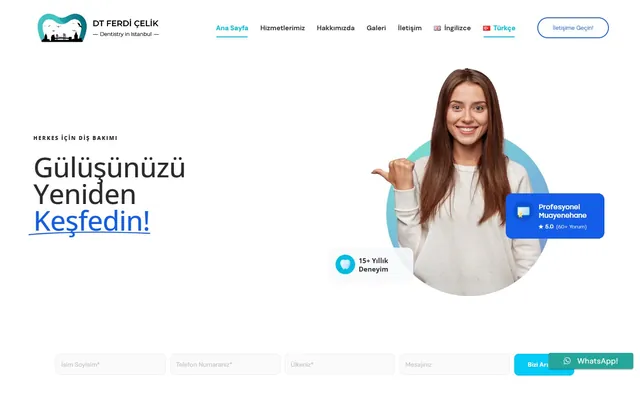 Multilingual · Healthcare
Modern multilingual personal website design and development for a dentist.
$ visit_site →No. DNS is switched only after the site is fully working and tested on the new server, so visitors do not notice the move. During DNS propagation some visitors see the old server and some the new one; both are working. For stores the switch is done at night to avoid order collisions in that window.
On a server change the addresses stay the same, so rankings are unaffected. On a domain change every old address is 301-redirected to its new equivalent and a change of address is filed in Search Console; traffic typically returns to its previous level within 4 to 8 weeks. During monitoring we check the 404 logs every day.
Email DNS records are listed before the migration and preserved exactly during the switch; if your email is with another provider it is untouched. Migrating the contents of mailboxes on the server is a separate step and is shown separately in the quote. Delivery is verified with test messages on the first day after the switch and noted in the report.
We give independent advice based on your traffic and site type; because we take no commission, the recommendation is neutral. In the pre-check we present 2 or 3 options with a price and resource comparison. We will also migrate to a provider you have chosen; if its resources fall short we show why with measurements and leave the decision entirely to you.
After the 7-day monitoring is over and the report says "can be switched off". That period is for DNS propagation to complete, email flow to be confirmed and every page to be seen loading from the new server. Switching off early greets visitors still in the propagation window with an empty page; we put the switch-off date in the report explicitly.
Because the old server is never switched off, rolling back means pointing DNS back at the old address, which takes minutes. In that case there is no charge. The only rollback to date was caused by a provider misreporting its resource limits; the provider was changed and the second attempt completed, and the client paid nothing extra.
WordPress backup service: encrypted off-site backups, 30-day version history, monthly restore test and emergency restore.
View Details → WordPressWordPress maintenance plan: updates tested on staging first, weekly off-site backups, security monitoring and a monthly health…
View Details → WordPressWordPress technical support: white screen, plugin conflicts, 500 errors and email delivery fixed at the root cause.
View Details →Written by: Caner Zep Çelik, Founder & Technical Consultant · Last updated: