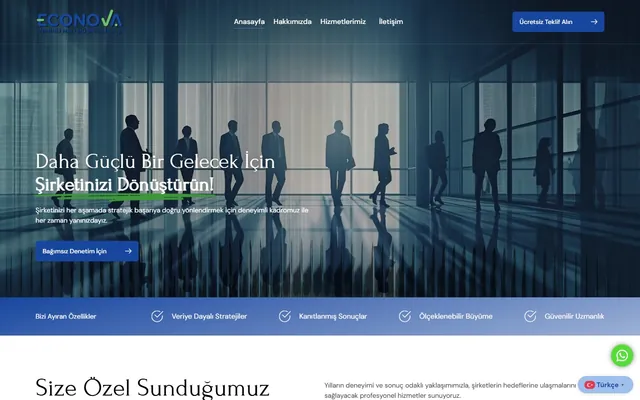
 Corporate · Finance
Econova YMM
Professional corporate web design for a sworn-in financial consultancy firm.
$ visit_site →WordPress security is the service of cleaning a hacked site, returning it to a verified clean state and hardening it so the attack does not recur. Malware cleanup, backdoor removal, closing the entry point, Google Safe Browsing warning removal, login protection, firewall and update policy are all in scope. For urgent cases we respond within 4 hours, and every recovery closes with a report that names the entry point and what was changed.
WordPress security is for sites that have been hacked, show a Google warning, or run outdated plugins and fear it is only a matter of time. An attack usually comes through a plugin that has not been updated for months or a weak password, and cleaning the visible damage without closing that door means the attacker is back within days. If any of the following sounds familiar, you are on the right page.
We use the same method on a one-page brochure site and a 40-plugin store; only the cleanup time changes.
The service comes as emergency recovery or a monthly security plan. The table below lists what each includes and what stays outside, line by line. Recovery is not considered finished until the site is verified clean with an independent scan and the entry point is closed; that rule is written in the quote so a cleanup that lasts a week is never handed over.
| Work | Emergency recovery | Monthly security plan |
|---|---|---|
| Malware and backdoor scan across files and database | Included | Included |
| Cleanup and restoring core, theme and plugin files | Included | Included |
| Finding and closing the entry point (plugin, password, server) | Included | Included |
| Google Safe Browsing and Search Console warning removal request | Included | Included |
| Login protection, two-factor authentication and firewall setup | Included | Included |
| Recovery report: entry point, what was changed, what to do next | Included | Included |
| Monthly vulnerability scan and update policy | Excluded | Included |
| Uptime and file-change monitoring with alerts | Excluded | Included |
| Off-site encrypted backups and monthly restore test | Excluded | Included |
| Rebuilding content the attacker deleted (where no backup exists) | Priced separately | Priced separately |
| Hosting, SSL and security service subscription fees | Excluded | Excluded |
Regular updates that prevent most attacks are part of WordPress maintenance and updates; the two plans are often combined.
Emergency recovery takes 4 to 24 hours for a typical site; heavily infected stores can take 2 business days, which we tell you in writing after the first scan. Urgent cases get a first response within 4 hours. Google warning removal depends on Google's review and takes 1 to 3 days after the clean site is submitted. The monthly plan then runs as a continuous cycle.
The site is taken to maintenance mode if needed, a forensic copy is taken and the spread is stopped
Files and database are scanned; malware and backdoors are removed and core files restored from clean sources
Logs are read to find how the attacker got in; the plugin, password or server setting is fixed
Login protection, two-factor authentication, firewall and file permissions are set up
An independent scan confirms the site is clean, the Google review is requested and the report is written
Three variables set the price: how far the infection has spread, whether a clean backup exists and whether the entry point is on the site or the server. A single injected script and a store with 4,000 infected files and no backup do not take the same time, so we quote after the first scan rather than from a fixed list. The first scan is free and the quote is fixed once it is done.
If the site is reinfected within 30 days through the same entry point, we clean it again at no charge. Customers on the monthly security plan get emergency recovery included; the monthly plan has no contract.
The three cases below represent different attack types. We do not share client names without permission, so sector and scale are given instead; figures come from Zep Bilisim recovery reports and Search Console. In all three the entry point was found and closed, and none was reinfected in the 6 months that followed.
Cleaning a hacked site without finding the door it came through is repainting a wall while the window is still open.
The work is carried out by Caner Zep Çelik, founder of Zep Bilisim. As founder and technical consultant he has worked on WordPress infrastructure, server configuration and security since 2020 and has been involved in more than 120 projects. He reads the server logs and finds the entry point himself and does not outsource the cleanup.
The recovery report is written by the same person: how the attacker got in, what was removed, what was changed and what you should do next. The report stays with you even if you later work with another team.
If the site is up to date, has login protection and a firewall, and an independent scan comes back clean, emergency recovery is unnecessary; we say so plainly in the first scan. A "site may be hacked" warning that refers to an old, already-cleaned incident only needs a Google review request, and we describe that step rather than selling a cleanup.
If the site is abandoned and no longer needed, taking it offline is cheaper than cleaning it; we say so too.
WordPress's official hardening guide explains from the official source the measures we apply during hardening.
A selection of the WordPress sites in our references. You can browse all of them on our references page.
Corporate · Finance
Professional corporate web design for a sworn-in financial consultancy firm.
$ visit_site →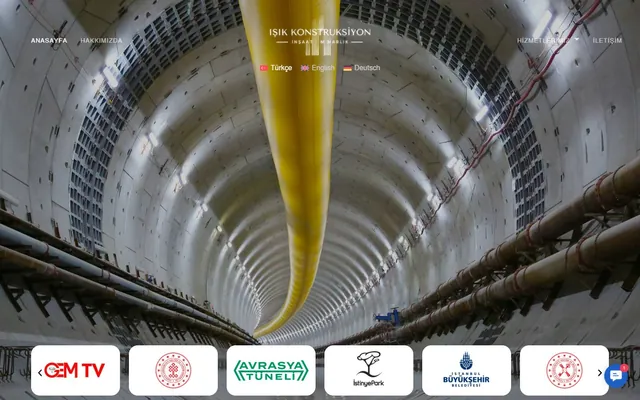 Multilingual · Construction
Multilingual corporate website development for a construction and architecture company.
$ visit_site →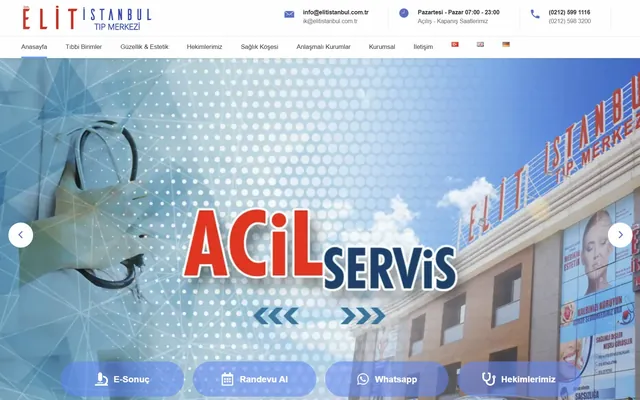 Multilingual · Healthcare
Multilingual medical center website with an appointment system, physician profiles and medical-unit integrations.
$ visit_site →Urgent cases get a first response within 4 hours, and containment starts immediately: the spread is stopped and a forensic copy taken before anything is changed. A typical cleanup is finished the same day. Out-of-hours work is included in the monthly security plan and available at an extra charge on emergency jobs, stated up front.
Yes, once the site is verified clean. We request a review in Search Console and, where needed, Safe Browsing; Google typically lifts the warning within 1 to 3 days. If the warning persists, it means something was missed, and we scan again at no charge. Spam pages the attacker created are removed from the index with removal requests and redirects.
A clean backup makes recovery faster and cheaper, but it is not required; core, theme and plugin files are restored from clean official sources and your content is cleaned in place. If the attacker deleted content and no backup exists, rebuilding it is quoted separately. After recovery, off-site backups are set up so the next incident is a restore, not a rebuild.
Because the entry point is found and closed, not just the symptom. The logs show which plugin, password or server setting let the attacker in; that door is fixed and the site hardened with login protection, two-factor authentication and a firewall. If the same entry point is used again within 30 days, we clean it at no charge; long-term protection comes from the monthly plan.
Yes, hosting panel and WordPress administrator access are needed for cleanup; a separate limited user can be created and deleted afterwards. All passwords are changed during hardening and the new ones handed to you, since old ones may be compromised. Access we used is removed when the work ends and stated in the report.
Monthly vulnerability scans, an update policy that patches security releases within 24 hours, file-change and uptime monitoring with alerts, off-site encrypted backups with a monthly restore test, and emergency recovery included. It is for sites that carry real business and cannot afford a day offline; a small brochure site usually needs only the one-off hardening.
WordPress maintenance plan: updates tested on staging first, weekly off-site backups, security monitoring and a monthly health…
View Details → WordPressWordPress backup service: encrypted off-site backups, 30-day version history, monthly restore test and emergency restore.
View Details → WordPressWordPress technical support: white screen, plugin conflicts, 500 errors and email delivery fixed at the root cause.
View Details →Written by: Caner Zep Çelik, Founder & Technical Consultant · Last updated: